
GETTING STARTED VIDEO SERIES

#1: Create a project
Create a TestArchitect repository, the database which stores your projects. Following that, create a project to hold your test assets.
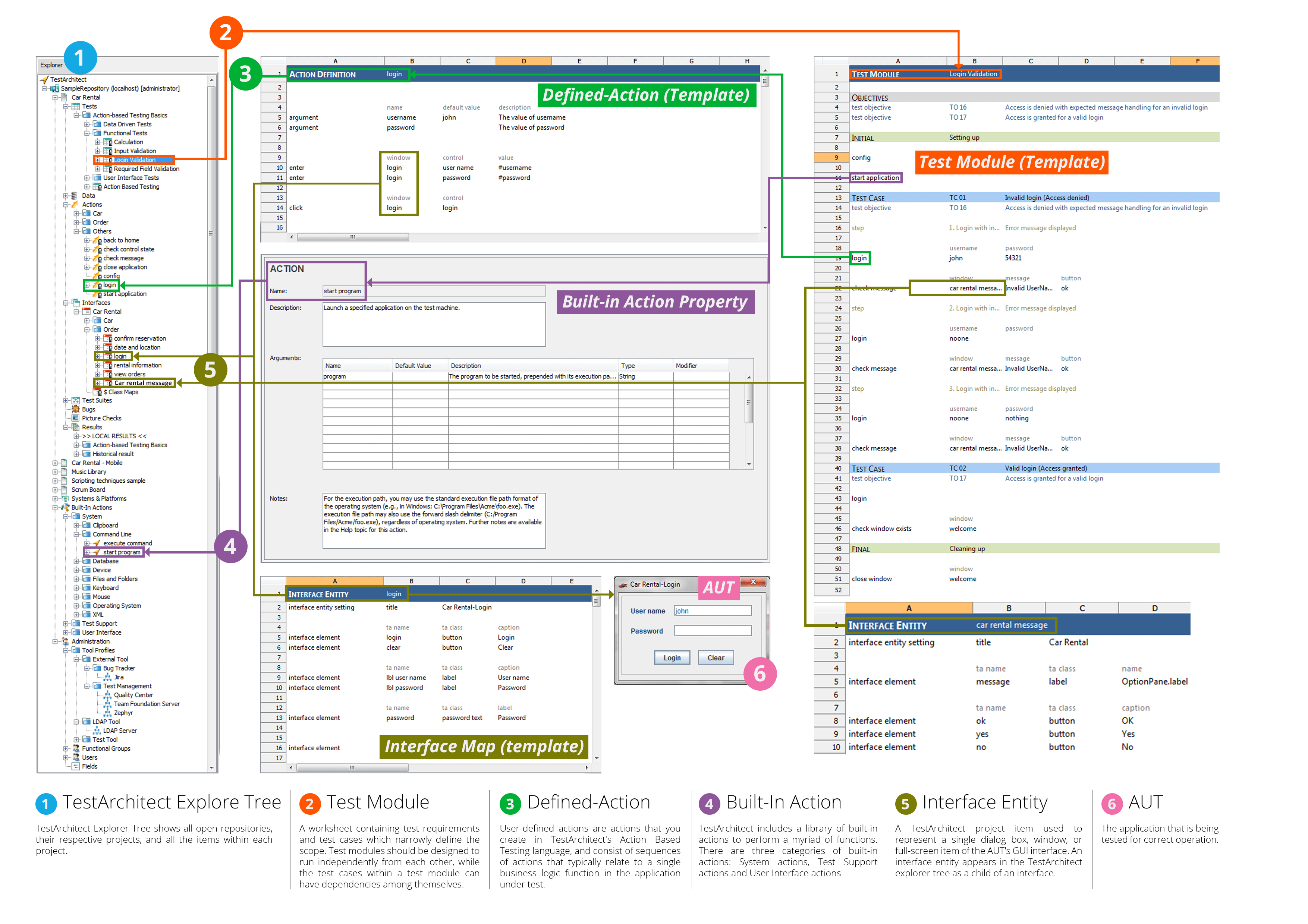
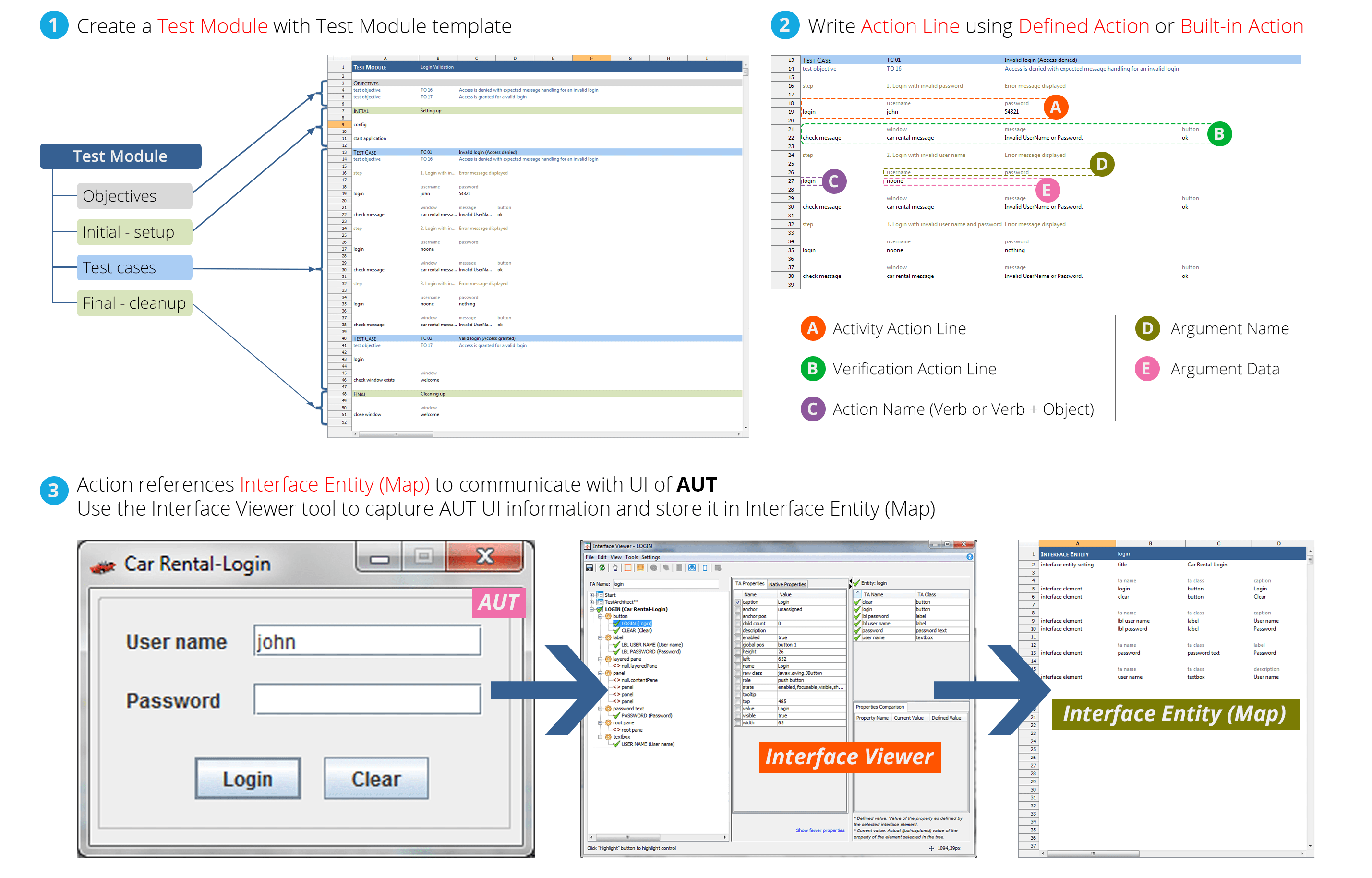
#2: Create a test module
Establish a simple test case. Then create a test module to house that test case, and learn the functional sections of a well-structured test module.
#3: Map the user interface
Explore the concept of interface mapping, in which user interface objects are identified by their properties. Then use TestArchitect's Interface Viewer to capture the UI objects you need, assign logical names to those objects, and store your mappings in interface entities.
#4: Author the test
Explore the concept of interface mapping, in which user interface objects are identified by their properties. Then use TestArchitect's Interface Viewer to capture the UI objects you need, assign logical names to those objects, and store your mappings in interface entities.
#5: Run the test & review the results
Execute your test, and view the results that TestArchitect reports, including moment-by-moment screenshots of the target application during the test.
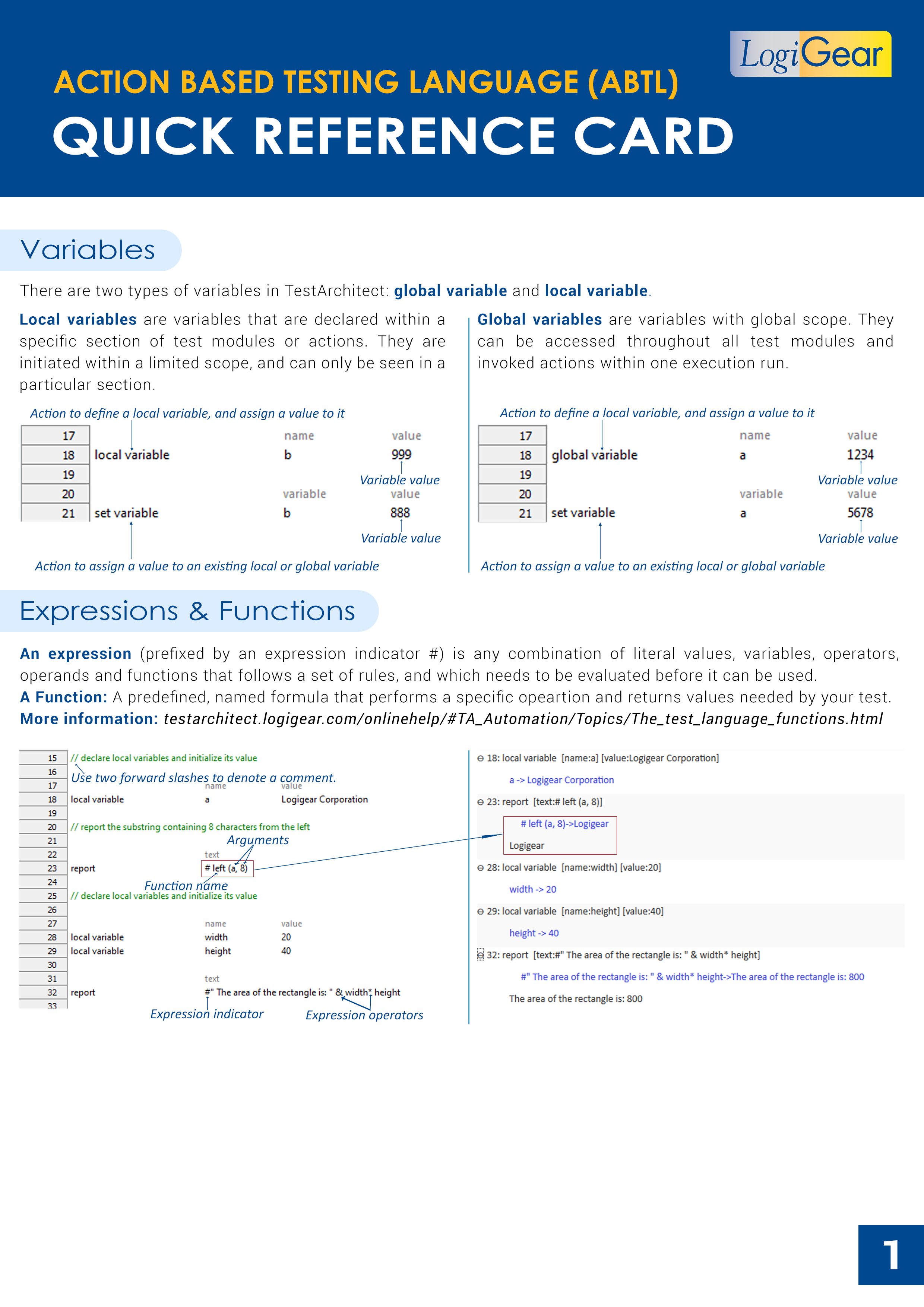
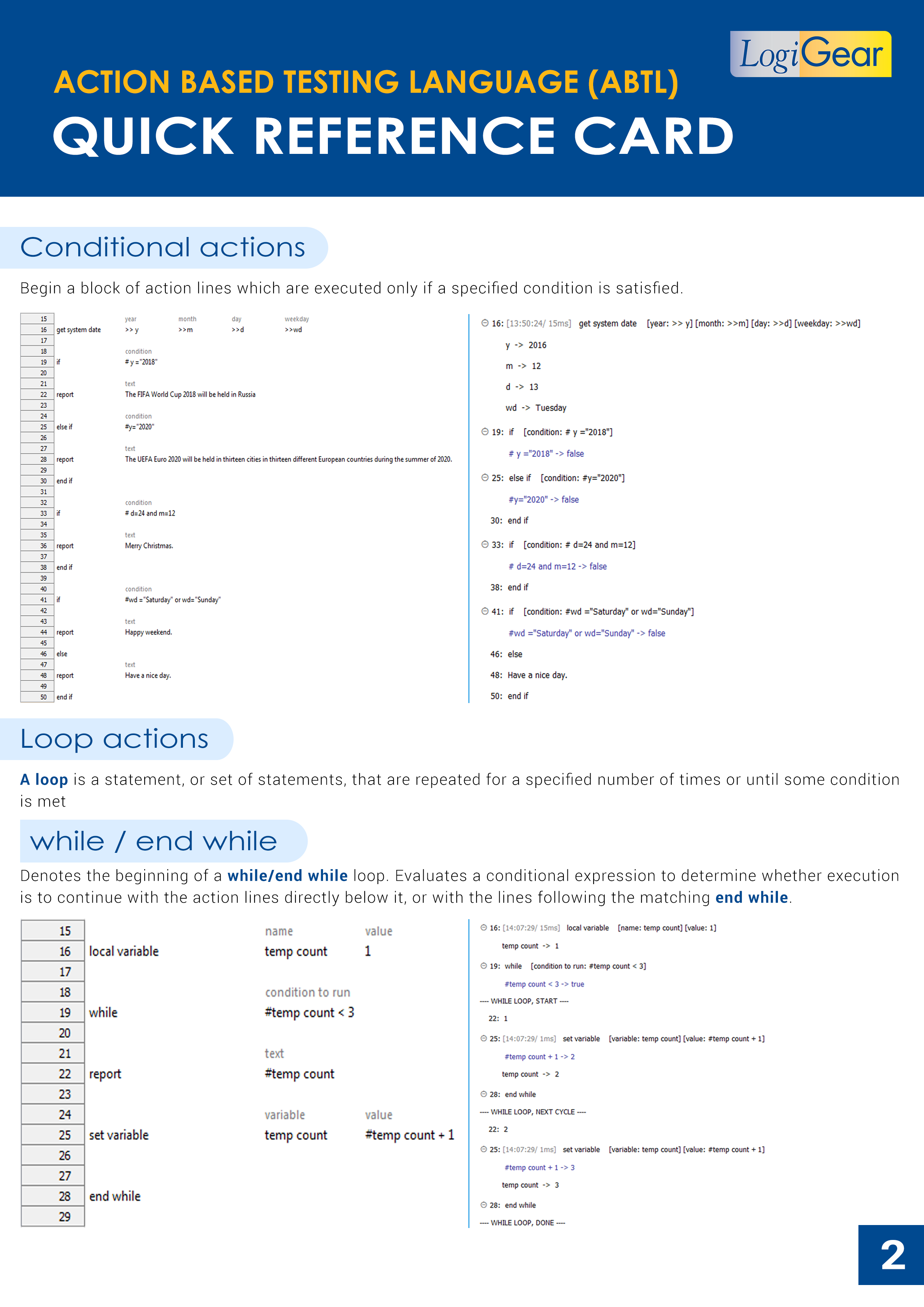
#6: Create a user-defined action
With no change in functionality, encapsulate your system-level action lines into a user-defined action, for purposes of reusability, readability, and proper Action-Based Testing design. Parameterize your new action to maximize its reusability.
Got a problem? We are here to help!

Contact our support team to find the available support options for your TestArchitect products.

Searchable database of case studies and technical articles.

Find answers to your questions and participate in product feature requests.

Find your TestArchitect Docs system for quick and easy reference.